Get the drums down.
Eight drum sounds. Tap in a pattern, change the velocity of a hit, then duplicate it and try something different.
✳ BEATLAB BY BOBBY
A kick. A snare. That little melody you keep humming. Give them somewhere to go.
A music studio for iPhone, iPad and Mac.
Start with a beat right here.
Press Play. Tap the squares. See where it goes.
Native apps.
Built for making music.
INSIDE THE APP
Build the rhythm, find the notes, then turn the pieces into a track. Beatlab gives each part its own space.
Eight drum sounds. Tap in a pattern, change the velocity of a hit, then duplicate it and try something different.
Play the keyboard, try a synth preset and shape the melody in the piano roll. Move a note. Hold it a little longer.
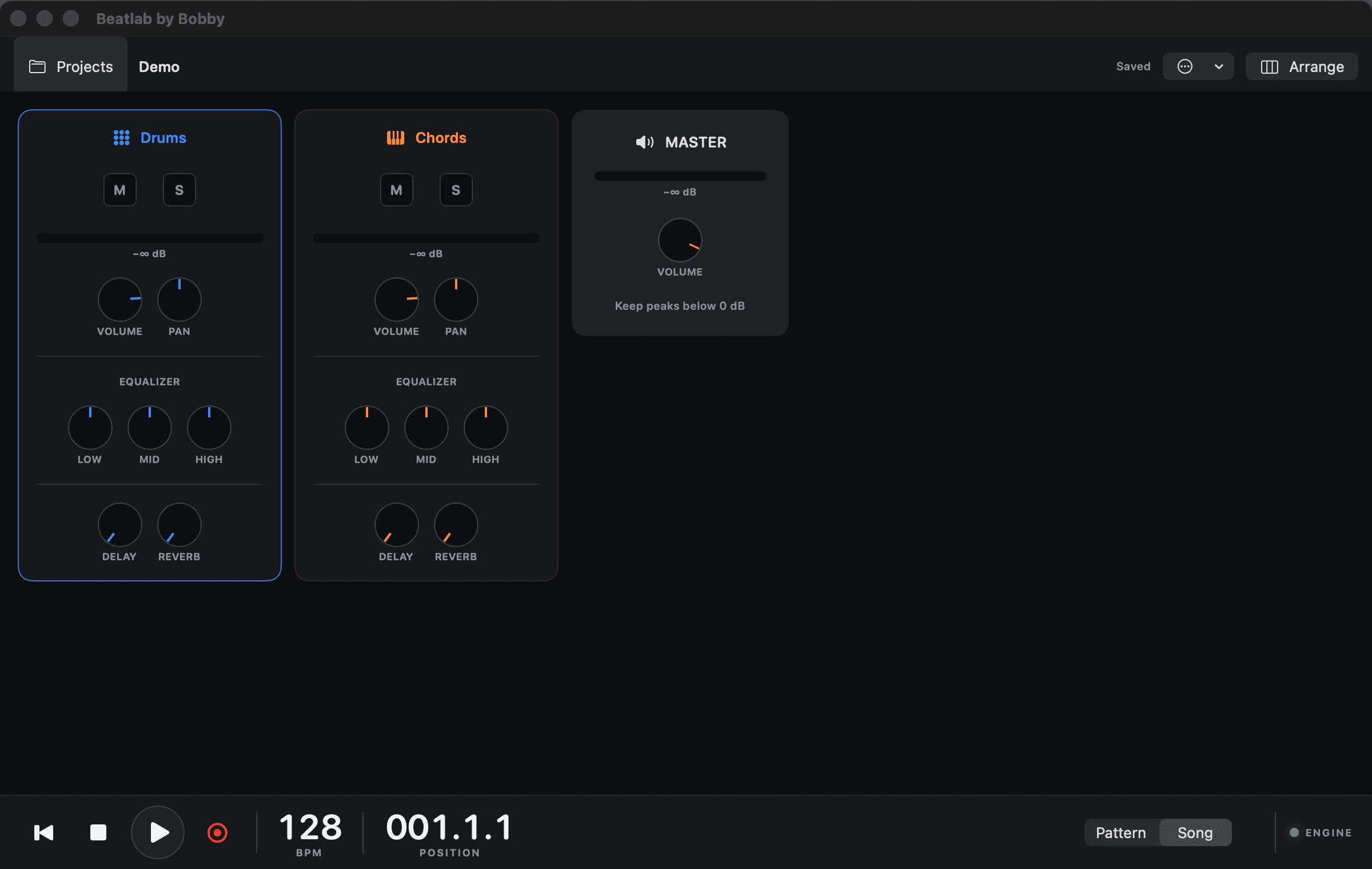
Arrange your clips on the timeline. Mix each part with EQ, delay and reverb. Export the finished track as a stereo WAV.
Record a voice, a guitar or whatever is within reach. Import audio, see the waveform and bring it into your arrangement.
FIND YOUR SPACE
The same tools, with room made for the screen you have.
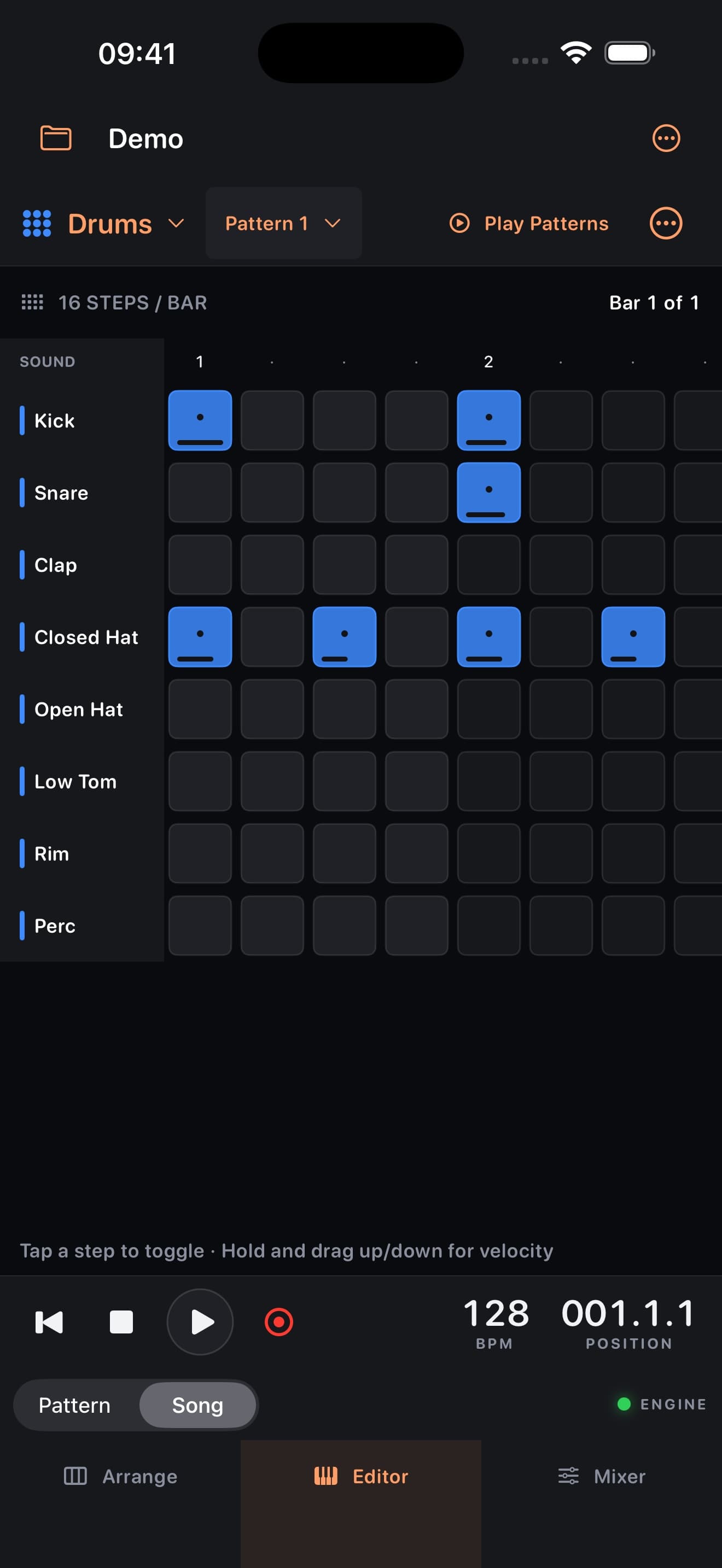
Switch between arrangement, editor and mixer on iPhone. Turn it sideways for more room.
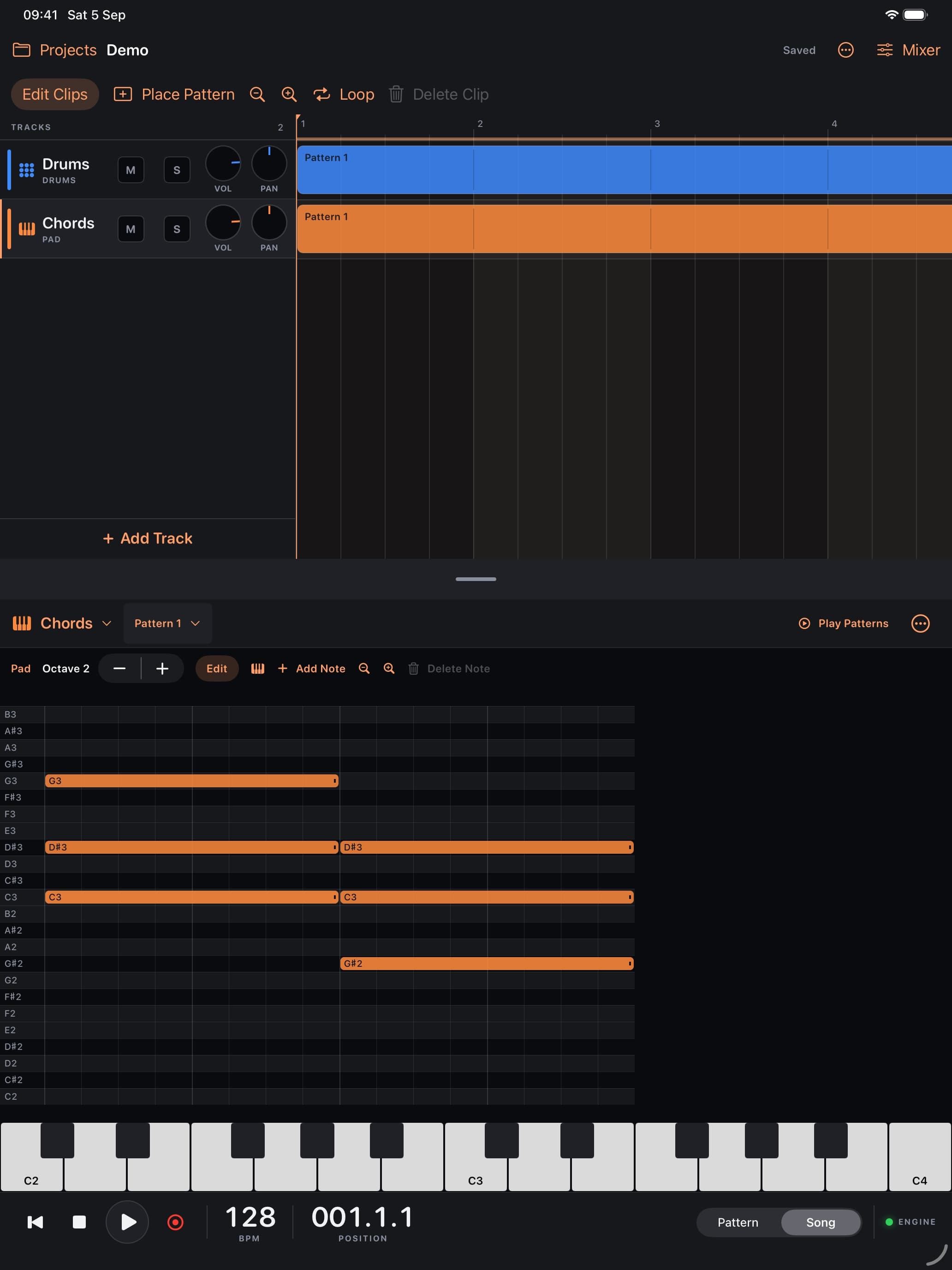
A bigger arrangement, a resizable editor and keyboard shortcuts. Stay with an idea for a while.
The playground is a small browser version: eight drum sounds, a synth sequence, a mixer and WAV export. The native app adds a full arrangement timeline, piano roll, effects, recording, audio import and saved projects.
Your changes stay in this tab until you reload or leave the page. Use Save WAV to download four bars of your beat. The demo does not upload your music.
Beatlab is built for iPhone and iPad running iOS or iPadOS 18 or later, and Mac running macOS 15 or later. See the download section for availability on each platform.
Create an account to use the native studio. New accounts currently get complimentary Studio access. You can try the browser playground without signing in or paying.
In the App Store edition, sign into Beatlab and choose Profile > Restore Purchases using the Apple account that bought Lifetime, even if you changed or deleted your original Beatlab login. Monthly purchases and paid access in the direct Mac download remain linked to the original Beatlab account. To add Apple sign-in to a username account, connect it from your account settings on this website first. Your music projects stay on the device where you made them; they do not sync between devices.
Yes, in the native app. Record through your microphone or import an audio file, then place the clip in your arrangement. Imported audio plays at its original speed.

BEATLAB STUDIO
GET THE APP
Drums, synths, recording and a whole track to put them in. Make it on your iPhone, iPad or Mac.
Planned App Store prices: US $3.99/month or US $49.99 once for lifetime core access. Prices vary by country. Apple shows your local price before you buy.
In the App Store edition, sign in with Apple or a Beatlab username, then choose a plan through Apple when available. Monthly renews until cancelled. Lifetime has no renewal. Future paid AI features and cloud storage are separate from both core plans.